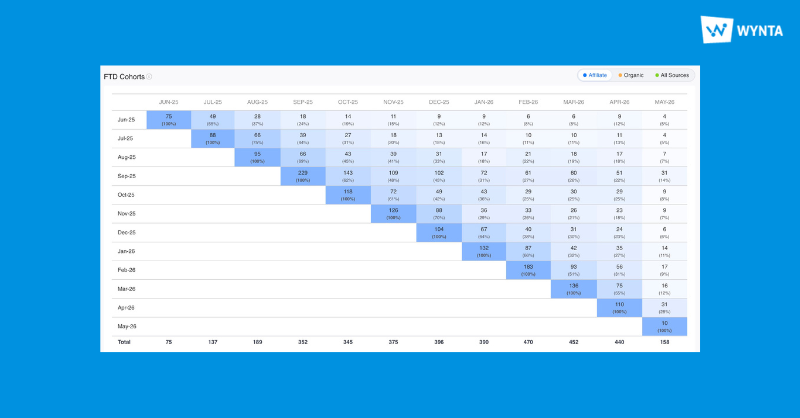
This has been a month of the kind of work that shows up in your day rather than in a feature list. Logging in is now one link and one screen. Workspace Settings only need setting once. Commission reporting on the Affiliate Platform has gone from something you assemble to something you read, with applied commission and revshare now sitting inside the Bet Report. The CRM’s campaign listing page has been rebuilt so that judging a campaign no longer means opening it. And Wynta AI has started building predictive profiles for players, learning what they like to play and when they tend to play it.
Here’s everything that’s gone live.
Wynta Workspaces
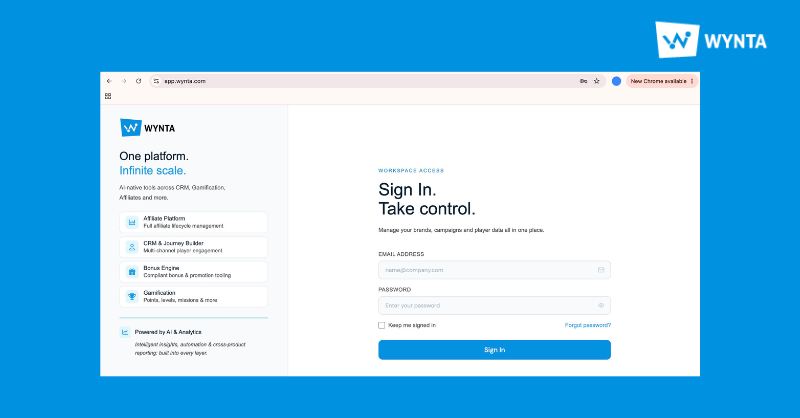
One login link for everyone
There is now a single place to sign in: app.wynta.com. Enter your credentials, pick your workspace from the program selection screen, and you land straight on the dashboard you chose.
That is the whole flow. If you run more than one program, or work across brands that were each reached by their own URL, the old routine of keeping several bookmarks and occasionally picking the wrong one is gone. One link, one set of credentials, and the workspace switch happens after you’re in rather than before.
You can also switch workspaces from inside your account, just click on your Workspace logo and see your list of spaces to switch to.
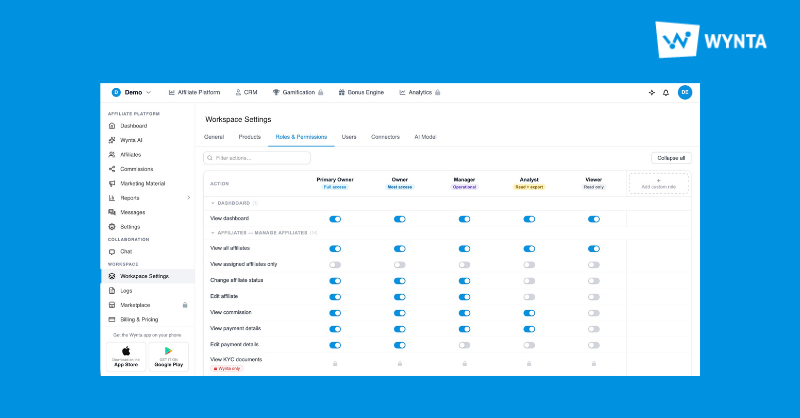
Workspace Settings, configured once
Workspace Settings now apply right across CRM, Bonus Engine and AI. Set them once and the configuration carries through every product.
Now there is one source of truth. For teams running more than one product, this is the difference between configuration you maintain and configuration you set.
Affiliate Platform
Commission deal data, available via API
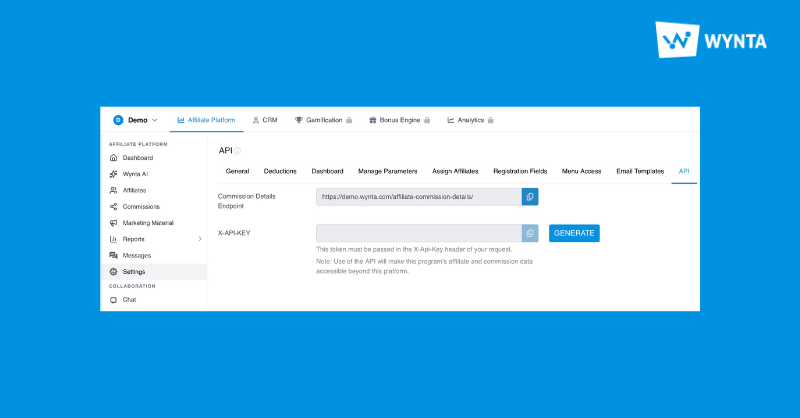
Commission deal information can now be pulled through the API. Head to Settings > API, take the Commission Details Endpoint, generate your X-API-KEY, and you’re ready to bring commission data straight into your own systems.
If your finance function reconciles in a warehouse, or your leadership reporting is built somewhere central, the deal terms behind every commission calculation can now feed that directly rather than arriving as a manual export at month end. The endpoint returns the commission detail, so what you build on top of it is entirely yours.
Applied commission, now visible
Applied commission is now shown for programs that support product-level reporting.
Applied commission shows what actually did, at product level, so you can see precisely what is being earned and where it came from. For programs running different terms across different products, this closes the gap between the deal on paper and the number in the report.
Revshare and applied commission in the Bet Report
Revshare commission and applied commission are now part of the Bet Report. Head to Reports > Bet Report.
Previously this was a reconciliation exercise: activity in one place, earnings in another, and a spreadsheet in the middle to line them up. Now the bet-level detail and the commission sitting against it are in the same report, which makes questions like which activity is actually producing the earnings answerable in one view rather than three.
Payments reporting in the program’s base currency
Payments now report in the program’s base currency with no conversion applied. If your program’s numbers were previously moving because of currency conversion rather than performance, that noise is gone. What you see is what the program recorded, in the currency the program runs in, consistent from one month to the next and matching what your finance team expects to receive.
Custom Audience and general improvements
Mobile number formatting in Custom Audience has been improved, and the Affiliate Platform picked up a run of general bug fixes and client-requested improvements through the month.
CRM
Conversion goals, set when you create the campaign
Conversion goals can now be set at campaign creation, and they flow straight through to your reports.
Setting the goal upfront changes what the report tells you afterwards. Rather than reading activity and inferring whether it went well, you get performance measured against the outcome you named before the campaign went out. It also puts the intent on record, which helps when a campaign is reviewed weeks later by someone who wasn’t in the room when it was built.
Flows that handle Conditions properly
Flows now handle Conditions considerably better, so you can build branching journeys that respond to what a player actually does.
A linear flow treats everyone the same and hopes for the best. Conditions let the journey split on real behaviour, so a player who acts goes one way and a player who doesn’t goes another, each getting the message that fits where they actually are. Head into Flows and try it out.
The campaign listing page, rebuilt
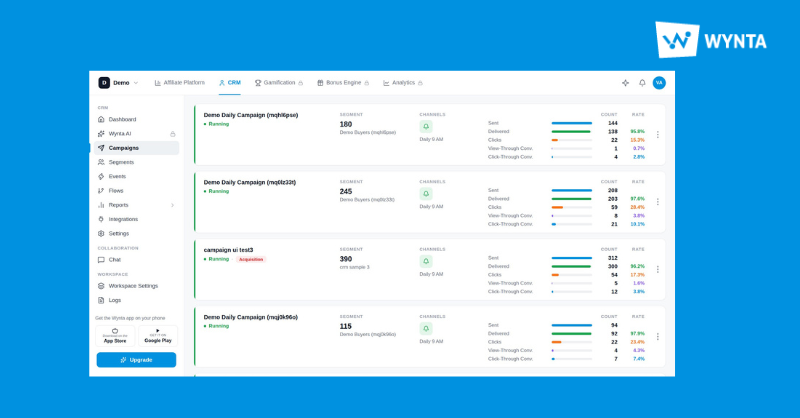
The campaign listing page has had a full refresh this month, and it landed in stages: performance details first, then a much richer metric set, then a cleaner interface built around them.
You’ll now see Sent count, plus counts and rates for Delivered, Clicks, View-Through Conversions and Click-Through Conversions, alongside segment and channel details, all sitting against each campaign in the list. The practical effect is that triage stops requiring clicks. Scanning the page tells you which campaigns are performing, which are underperforming and which segment and channel combinations are behind both, and you only open the ones that warrant a closer look. Head to Campaigns and take a look.
Server-to-server events, arriving in real time
Server-to-server events now feed straight into the CRM as they happen.
Campaign quality depends on how fresh the underlying data is. When events arrive in real time, segments reflect the player as they are now rather than as they were at the last sync, and a triggered campaign fires on current behaviour instead of a snapshot that has already aged. For anything time-sensitive, that gap is the difference between a relevant message and a slightly awkward one.
General bug fixes and further client-requested improvements shipped alongside these.
Segments built on full date ranges
Segments now support full date ranges rather than only a number of days.
Bonus Engine
Behind-the-scenes support for connecting the Bonus Engine into your wider stack has been strengthened, which makes wiring it in faster and smoother.
This is unglamorous work with a very practical payoff: less time between deciding to use the Bonus Engine and having it running against live data. The Bonus Engine also picked up a batch of client-requested improvements and general bug fixes over the month, most of them coming straight from operators already running it.
Wynta AI
Wynta AI has started building intelligent player profiles through machine learning, predicting the game types a player prefers, the days they’re most likely to play and even the time of day they’re likely to be active.
The value of that is timing as much as targeting. Knowing what a player likes tells you what to send. Knowing when they usually show up tells you when sending it is worth anything, which is the half of campaign performance that most segmentation ignores. As these profiles build out, that prediction becomes something your campaigns can act on directly, or something your team reviews before acting. As always, the level of autonomy is yours to set.
Log in to your Wynta dashboard to explore everything above. If you’d like a hand wiring the new Commission Details Endpoint into your own systems, get in touch with the Wynta Support Team and we’ll get you set up.