Wynta‘s latest updates bring meaningful improvements across the platform, from richer dashboard analytics and new reporting widgets to a completely redesigned postback setup flow for affiliates and a significantly expanded mobile app for admin users. Here’s a full breakdown of what’s new and how to make the most of it.
A More Powerful Dashboard
Your dashboard is now significantly more capable when it comes to understanding where your performance is coming from.
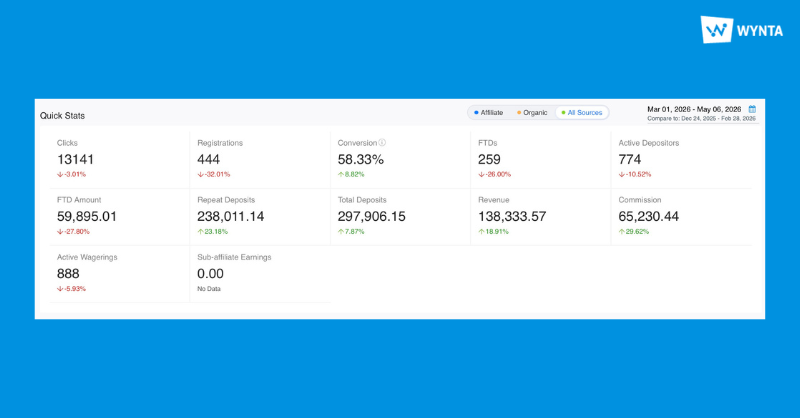
Quick Stats, Brand Stats and the User Acquisition Trend section all now support three traffic views: Affiliate, Organic and All Sources (combined). This means you can switch between views depending on what you’re interrogating, whether you need a clean look at affiliate-driven activity or want to see your full acquisition picture in one place.
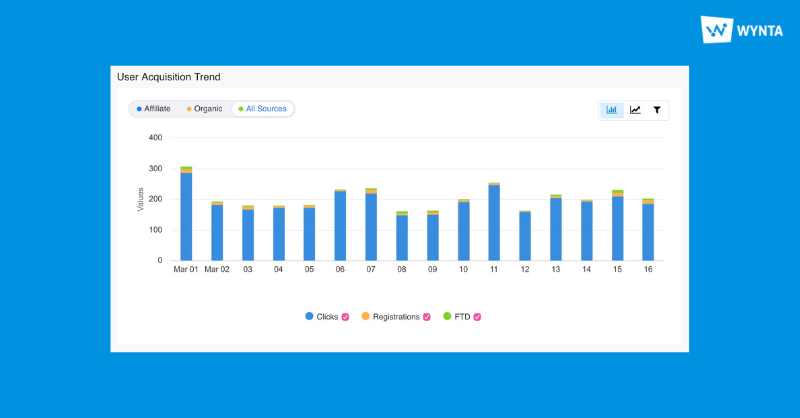
The Top Campaigns section has also been updated with a Campaign Type filter. You can now drill down by Tracking Link, Bonus Code or Custom Audience, giving you a much cleaner way to compare campaign performance across different acquisition strategies without noise from irrelevant campaign types.
New Dashboard Widgets
Alongside the dashboard enhancements, two new widgets are now live that add a layer of visual intelligence to your reporting.
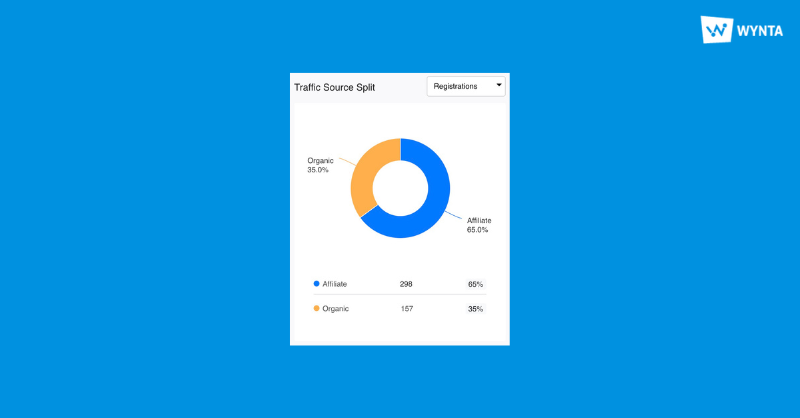
The traffic source widget gives you a single donut chart view across your key metrics: Clicks, Registrations, FTDs, Deposits, Revenue and Commission, broken down by Affiliate vs. Organic traffic. Instead of switching between views or exporting data to compare sources, everything is visible at a glance and switchable within the chart itself.
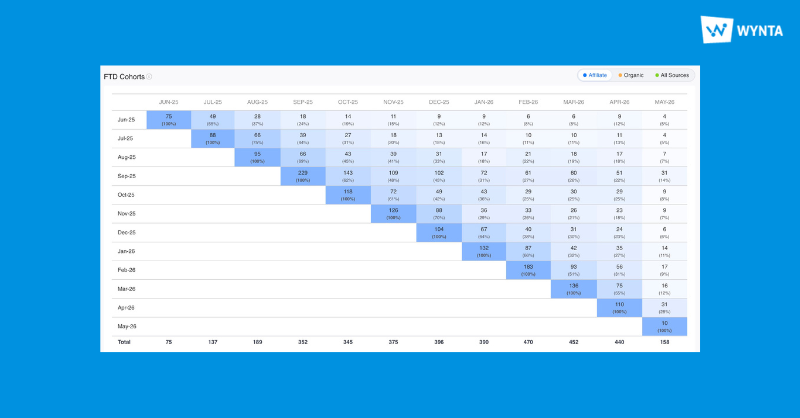
The FTD cohort widget tracks how your first-time depositor cohorts behave over time. This is particularly useful for identifying early signals in player quality and retention, you can spot trends as they emerge rather than after the fact, which puts you in a much better position to act on them quickly.
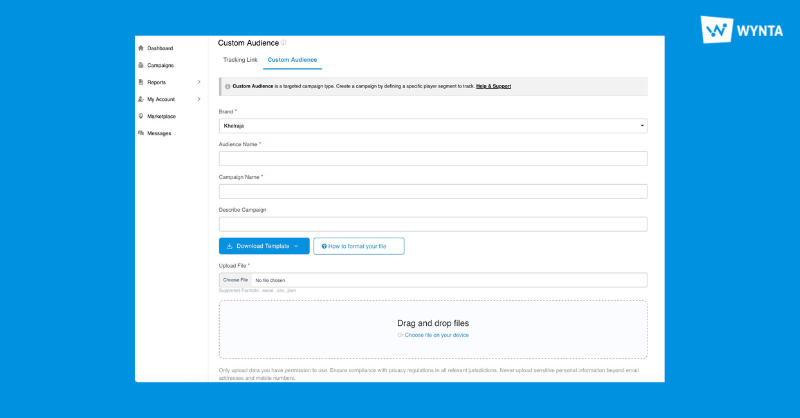
Custom Audience Campaign Type
The new campaign type, Custom Audience, is now available for affiliates on select programs. If you’d like to enable this for your affiliates, reach out to the Wynta team and we’ll configure it for your program.
Redesigned Postback Setup
The postback feature on the affiliate console has been rebuilt from the ground up to give it a drastic user-friendly experience. This new UI makes the process much more accessible without sacrificing flexibility.
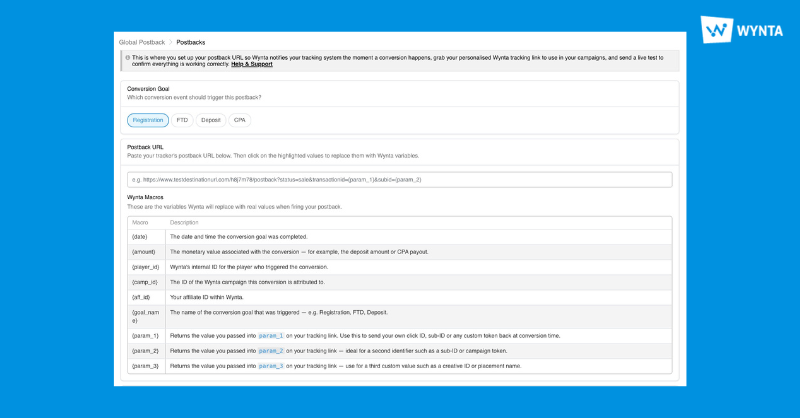
We have updated our Training Guide article to reflect these changes, read all you need to know about it here.
MS Exchange Now Supported for Email Integration
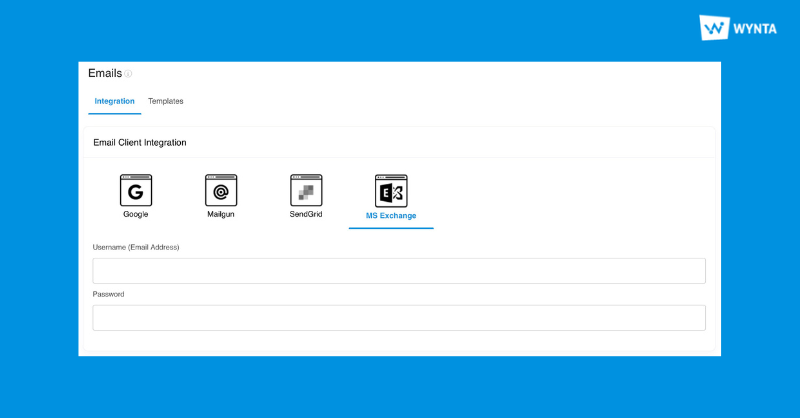
When sending communications to your affiliates, you want those emails to come from your own brand, not our platform support address. Wynta’s Email Client Integrations let operators connect their own email provider so that all outgoing communications are sent from your own domain.
MS Exchange is now supported alongside Google Workspace, Mailgun and SendGrid, giving operators running Microsoft infrastructure a native option to connect. Head to Settings > Emails > Integration to get it set up.
Wynta Mobile: Now with Full Dashboard and Affiliate Management
Admin users can now access Dashboard and Affiliate Management directly from the Wynta mobile app. Whether you’re reviewing performance on the go or need to action something without being at your desk, the core tools you rely on are now available from your phone.
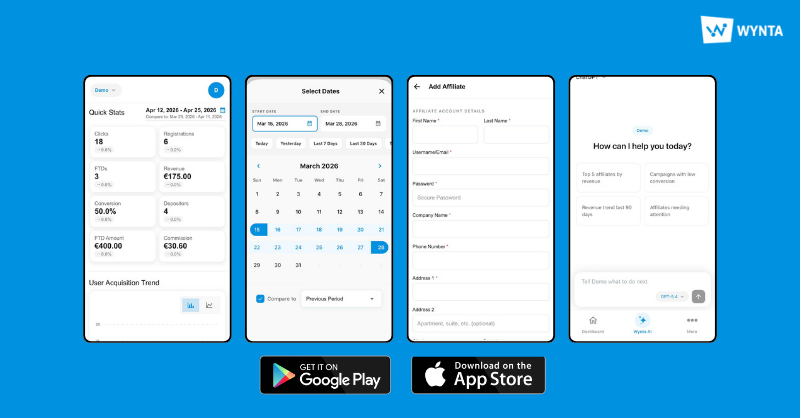
The Wynta app is available on iOS and Android, download it and see what your dashboard looks like in your pocket.
Performance & Stability
A set of backend performance improvements and stability updates across the platform.
Log In to Explore
All of these updates are live now. Log in to your Wynta dashboard to explore the new widgets, traffic filters and campaign type options, and reach out to the team if you’d like to enable Custom Audience campaigns for your affiliates.